Finder
Quickly navigate to any collection or database in Mingo using the Finder search.
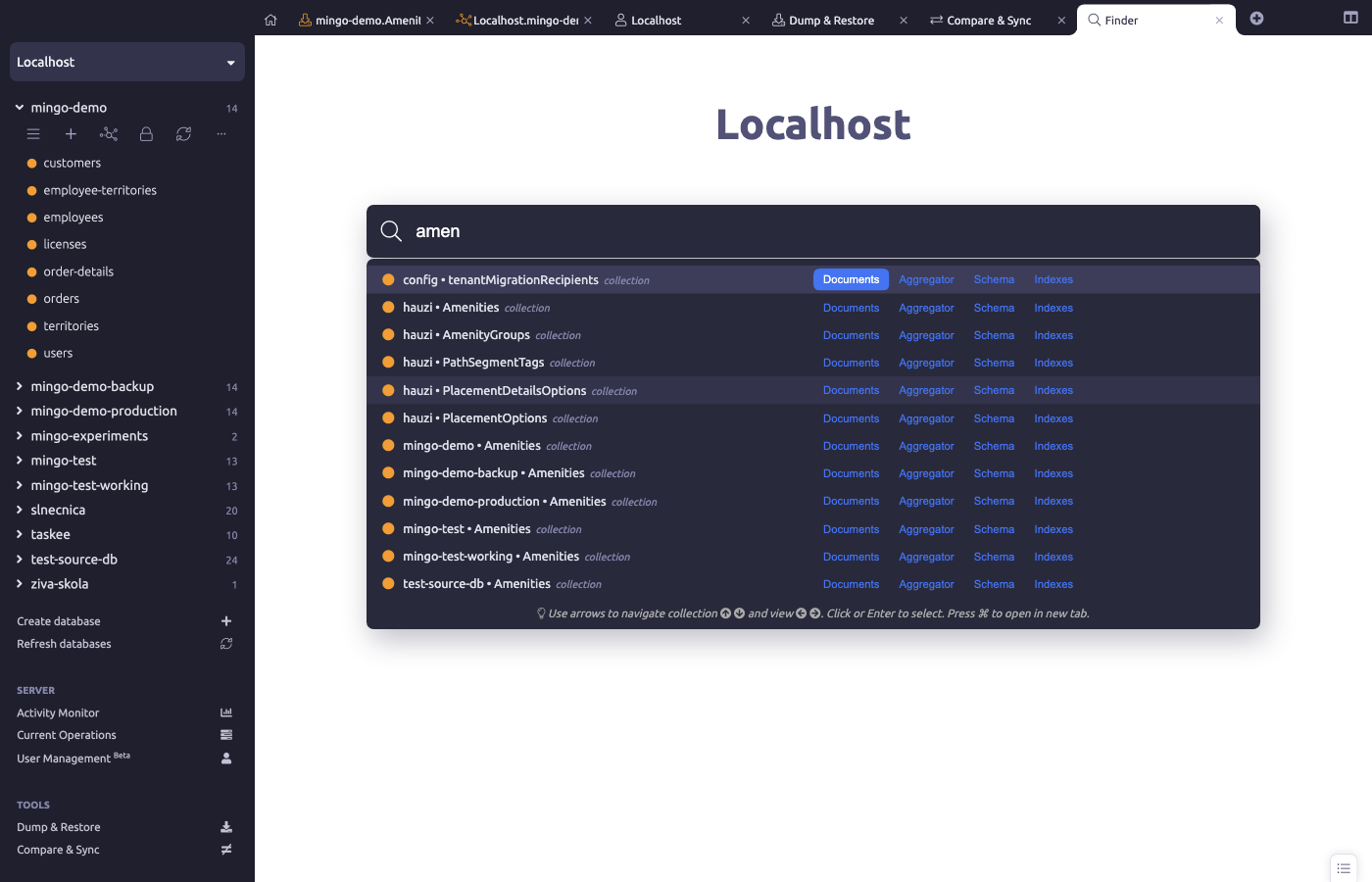
The Finder provides quick navigation to any collection or database across all your connections.
Opening the Finder
Press Cmd+T (or Cmd+Shift+A) to open the Finder. It appears as an overlay search box at the top of the window.
Searching
Start typing to search by name. The Finder uses fuzzy matching so you don't need to type the exact name — partial matches work. Results are filtered in real time.
The Finder searches across:
- Collections — find collections by name
- Databases — find databases by name
Section Selection
When opening a collection from the Finder, you can choose which section to open directly — Documents, Aggregator, Schema, Indexes, etc.
ObjectId Quick-Find
Paste an ObjectId directly into the Finder to search for a document with that _id. This is useful when you have a document ID from logs or another source and want to quickly find it.
Keyboard Navigation
- Up/Down arrows — navigate results
- Enter — open selected item in a new tab
- Modifier+Enter — open in the current tab
- Escape — close the Finder