Overview
Learn what Mingo is, understand the UI layout, and get a quick tour of its main features.
What is Mingo
Mingo is a modern MongoDB GUI for developers who need a fast, feature-rich tool for managing MongoDB databases. It runs on macOS, Linux, and Windows as a desktop application built with Electron.
Team
Mingo was created by David and Rad. We are not a startup, we have no external funding. We just want to build an app that helps people, connect with users, and expand our knowledge.
UI Layout
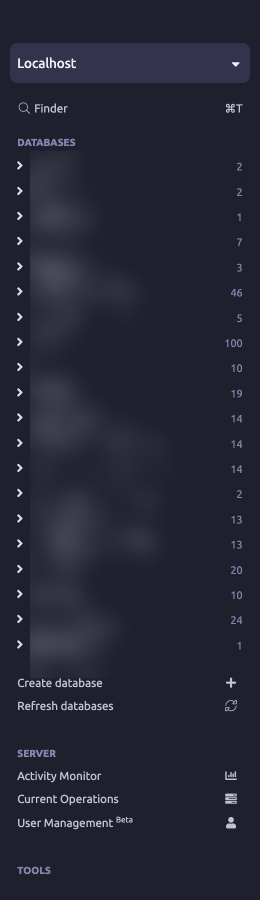
Mingo's interface consists of four main areas:
Sidebar
The left panel shows your databases and collections as a tree. Right-click any item for context menu actions. Pin frequently used collections for quick access by right-clicking them. Hover over a collection to see basic statistics.
At the top, the workspace selector lets you switch between connections and projects. Below the tree, you'll find tools like Dump & Restore and Compare & Sync.
Tabs

Tabs work like browser tabs. Each tab displays a different view — a collection, database, server, or tool. You can:
- Open new tabs with Cmd+T
- Close tabs with Cmd+W
- Reorder tabs by dragging them
- Reopen recently closed tabs with Cmd+Shift+T
- Jump to tabs with Cmd+1 through Cmd+9
Address Bar
The address bar shows your current location as breadcrumbs: Connection > Database > Collection. Click any breadcrumb to navigate up the hierarchy.
Content Area
The main area where you browse documents, build aggregation pipelines, analyze schemas, and perform all other operations. Collection tabs have navigation pills to switch between sections like Documents, Aggregator, Schema, Indexes, and more.
Workspaces
Each connection and project opens in its own workspace with a separate sidebar and tab set. Switch between workspaces using the selector at the top of the sidebar.
Context Menus
Right-clicking items throughout Mingo reveals relevant actions. This applies to databases, collections, documents, fields, and more — keeping the UI clean while making all features accessible.
Bug Reports & Feature Requests
If you encounter a bug, please report it on GitHub. Ideas, feature requests, and even minor usability issues are welcome — share your thoughts on GitHub or reach out at info@mingo.io.