Indexes
Create, manage, and analyze MongoDB indexes in Mingo.
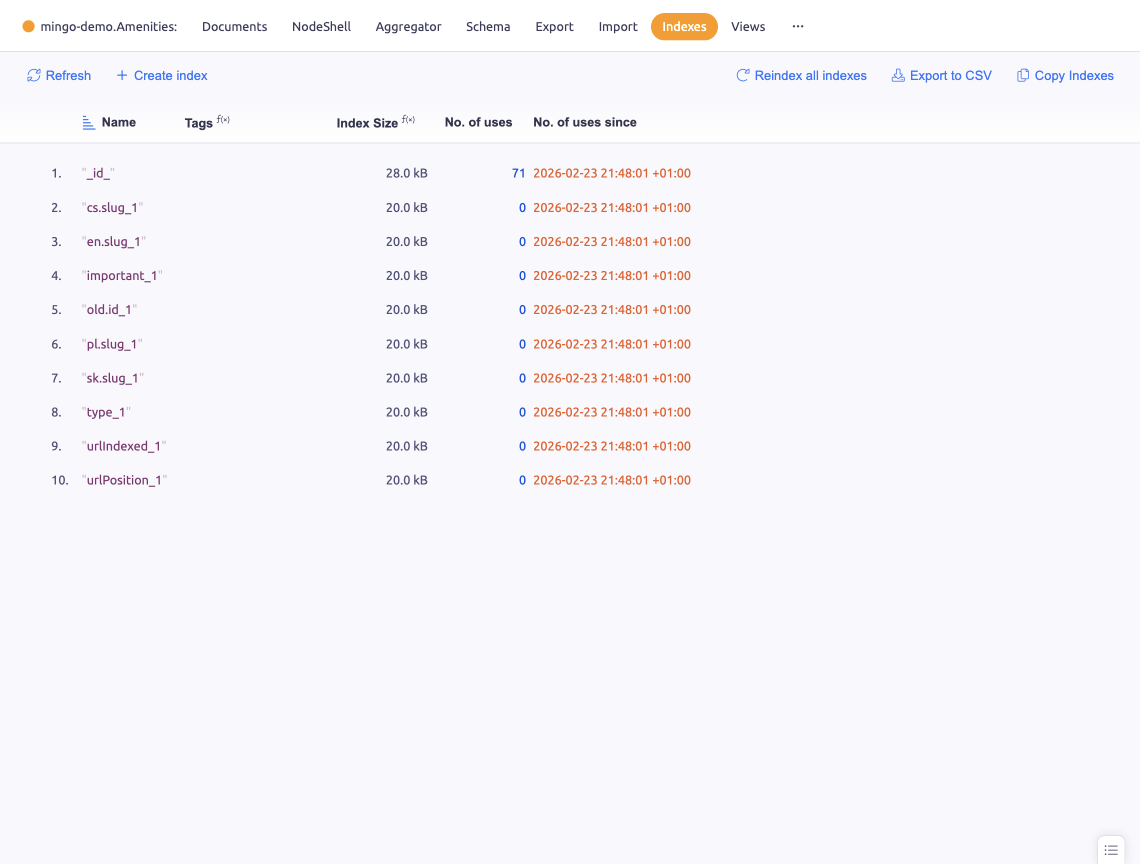
The Indexes section shows all indexes on a collection and lets you create, drop, and manage them.
Index List
All existing indexes are displayed with their key fields, type, size, and usage statistics (operations count). Tags indicate index properties: unique, sparse, background, hidden.
The _id index is always present and cannot be dropped.
Index types include:
- Single field — index on one field
- Compound — index on multiple fields
- Text — full-text search index
- Geospatial (2dsphere, 2d) — geographic queries
- Hashed — hash-based sharding
- TTL — automatic document expiration
Creating an Index
Click Create Index to open the index creation form:
- Add one or more key fields with direction (ascending/descending) or type (text, hashed, 2dsphere)
- Set optional properties:
- Unique — enforce unique values
- Sparse — only index documents that contain the field
- TTL — set expiration time in seconds
- Background — build index without blocking operations (MongoDB 4.0 and earlier)
- Hidden — create as a hidden index
- Name — custom index name
- Click Create to build the index
Dropping an Index
Right-click an index and select Drop to remove it. The _id index cannot be dropped.
Hidden Indexes
Toggle the hidden status of an index. Hidden indexes are maintained by the server but not used by the query planner — useful for testing the impact of removing an index before actually dropping it.
Copy / Paste Indexes
Copy one or multiple indexes to paste them into a different collection. This is useful when creating similar index structures across collections.
Export
Export the index list to CSV for documentation or analysis.
Reindex
Reindex a collection to rebuild all indexes. This is useful after large data changes or when indexes become fragmented.