Tools
Dump & Restore
Export and import MongoDB databases and collections with Mingo's Dump & Restore tool.
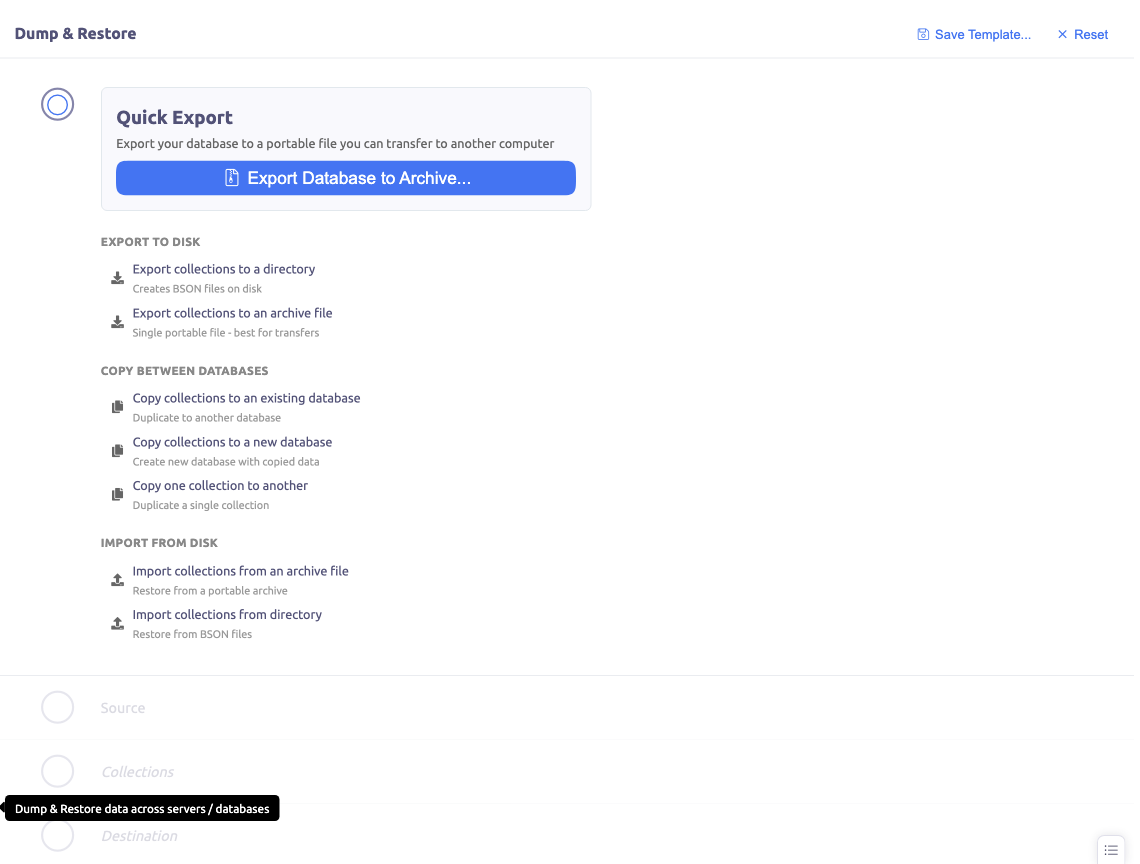
Dump & Restore lets you export and import MongoDB databases and collections using mongodump and mongorestore under the hood.
Prerequisites
You need mongodump and mongorestore installed locally. These come with MongoDB Database Tools, available from the MongoDB download center.
Actions
The wizard-style interface guides you through several actions:
Export
- Quick Export — one-click database export to a portable archive file
- Export to directory — dump to a folder structure
- Export collections — dump specific collections to a directory
Copy
- Copy between databases — dump directly from one database to another across different servers
Restore
- Restore from archive — import data from an archive file
- Restore from directory — import data from a directory structure
Workflow
- Choose action — select the type of operation
- Select source — pick the database or collections to export
- Select collections — choose which collections to include
- Configure destination — set where the data should go
- Run — execute with real-time command output
Restore Options
When restoring to a database:
- Drop collections — drop existing collections before restoring (clean restore)
- Merge — insert documents alongside existing data
Templates
Save dump configurations as templates for reuse. This is useful for recurring operations like regularly syncing production data to development.
History
Dump & Restore maintains a history of all operations, so you can review and rerun previous dumps and restores.