NodeShell
Execute JavaScript code directly in Mingo to query and manipulate MongoDB data using the NodeShell environment.
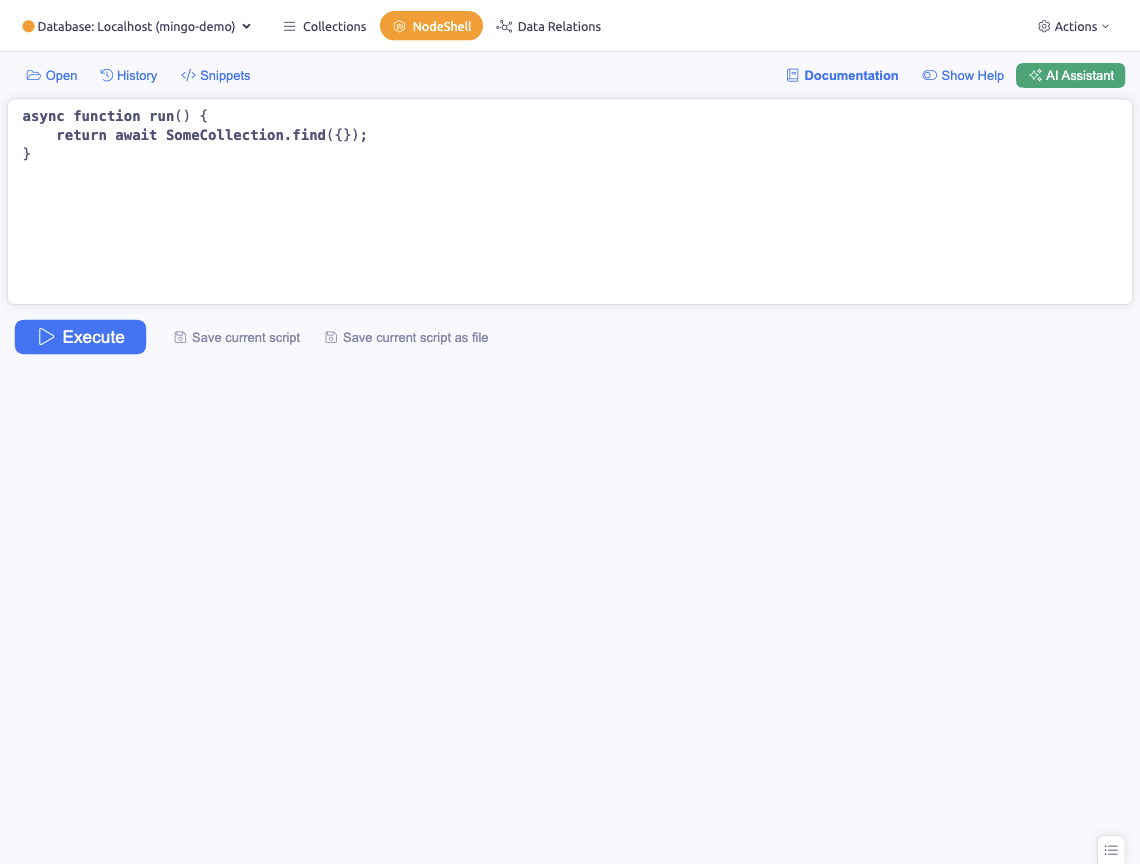
NodeShell is a JavaScript execution environment within Mingo for direct data manipulation. This is not the MongoDB Shell — it is a custom environment that gives you the full power of JavaScript with direct access to your database collections.
Usage
Write your code as a regular async JavaScript function with a return value. This enables sophisticated operations including loops, conditions, and variable initialization.
Example: Basic Query
async function () {
  return await MyCollection.find({})
}
Example: Batch Update
async function () {
  const docs = await Users.find({ status: "pending" }).toArray()
  for (const doc of docs) {
    await Users.updateOne(
      { _id: doc._id },
      { $set: { status: "active" } }
    )
  }
  return `Updated ${docs.length} documents`
}
Example: Complex Workflow
async function () {
  const confirmed = await MingoConfirm("Run migration?")
  if (!confirmed) return "Cancelled"

  const source = await Orders.find({ migrated: { $ne: true } }).toArray()
  let count = 0
  for (const doc of source) {
    await ArchivedOrders.insertOne(doc)
    await Orders.updateOne({ _id: doc._id }, { $set: { migrated: true } })
    count++
  }
  return `Migrated ${count} orders`
}
Available Variables
- db — current MongoDB database connection
- Collection names — direct references (e.g.
Amenitiesequalsdb.collection("Amenities")) - ObjectId — MongoDB ObjectId wrapper
- dayjs — date manipulation library
- _ (underscore) — Lodash utility library
- MingoConfirm() — show a confirmation dialog
- MingoAlert() — show an alert dialog
- MingoPrompt() — show a prompt dialog
- console.log(), console.warn(), console.error() — debugging output
History
NodeShell maintains a complete log of previously executed functions with fulltext search capabilities for retrieval.
Code Storage
Save code snippets and examples organized by individual database for convenient reuse. This is useful for frequently run operations like data migrations or cleanup scripts.